Your photos, shot properly
Upload the flat shots you already have — on a rail, on a table, under a tube light. StudioDrape sends back a marketplace listing set, an Instagram post and a reel, with the print, the colour and the embroidery exactly as they came off the rack.
Sign in with a mobile number. New accounts start with free credits.
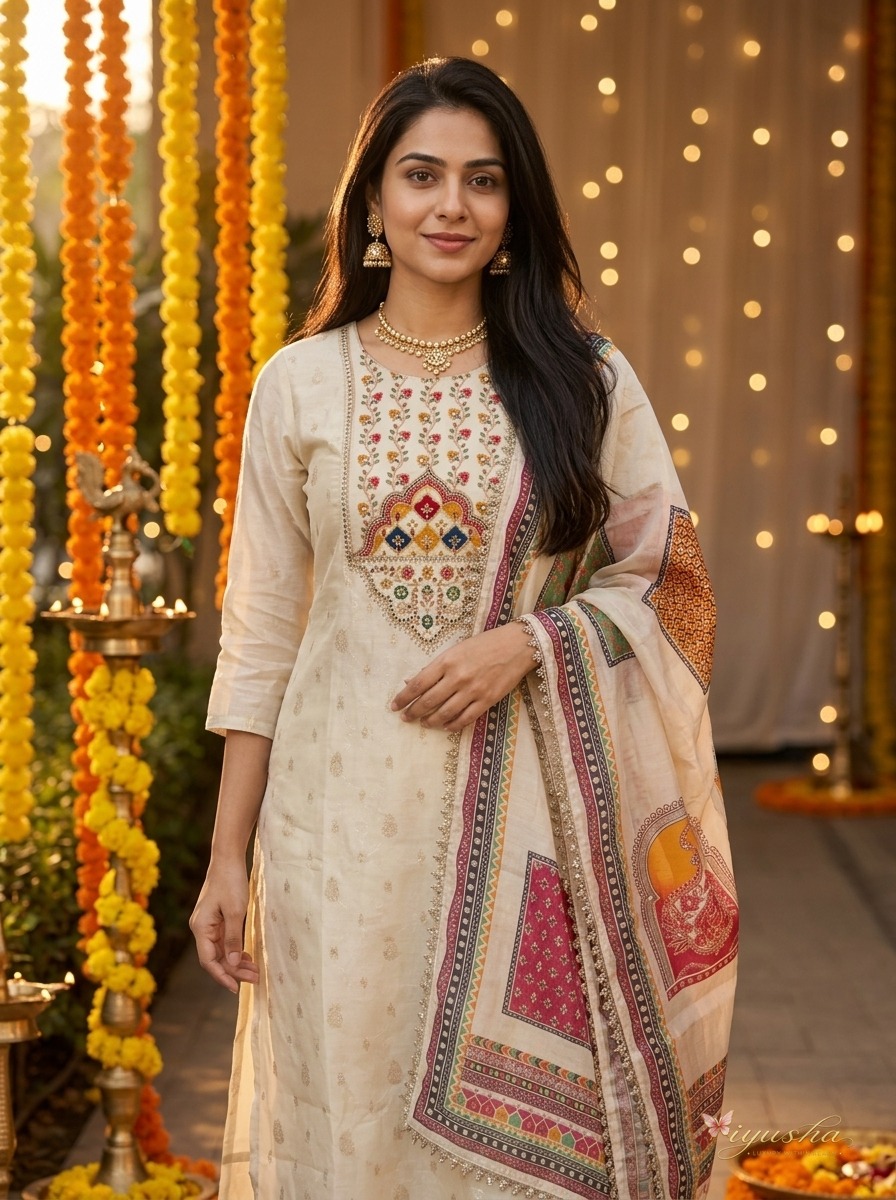 It returned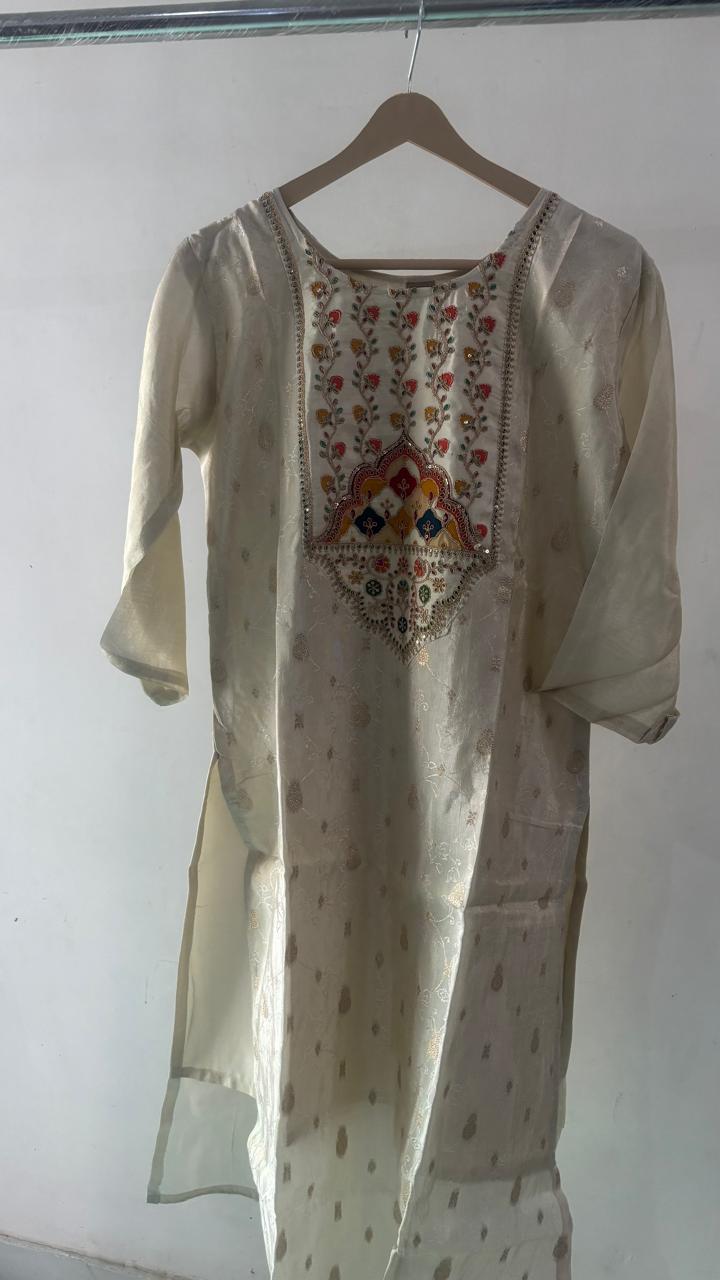
- 11
- categories, each with its own prompt, shot list and caption voice
- 4
- shots a product — catalog, styled hero, close-up, in context
- 3
- formats: 3:4 listing, 4:5 post, 9:16 reel
- 0
- studio days, model calls or lighting kits
From a rail photo to a listing set
Six steps, and the machine does three of them.
- 01
Upload the flats
Drag in the photos you already have and tag each one — front, back, dupatta, bottom, detail. Only the front is required; the rest sharpen the result.
- 02
Pick the category
Clothing, jewellery, beauty, home, electronics, food and more. The category decides the master prompt, the shot list, the angles you can tag and how captions sound.
- 03
Check what it read
A vision model writes out the colour, print, neckline, fabric and embellishment it can see. You correct it before anything is generated — this is what keeps the output honest.
- 04
Choose the shots
Studio catalog, styled hero, detail close-up, in context. Or open the master prompt and write the brief yourself.
- 05
Generate
Every frame runs as its own job. They land one at a time, and any single one can be retried without redoing the set.
- 06
Download or publish
Take the ZIP, copy the caption and hashtags, or push the post and reel straight to a connected Instagram account.
One upload. A hero, a lifestyle frame, a macro, a post and a reel.
Everything below was generated from the single hanger photograph at the top of this page. Nothing else was shot, and no other reference was given.
The frame that sells
The category picks the setting: marigolds and diyas for festive wear, a dark gradient for a gadget, a wet stone slab for skincare.
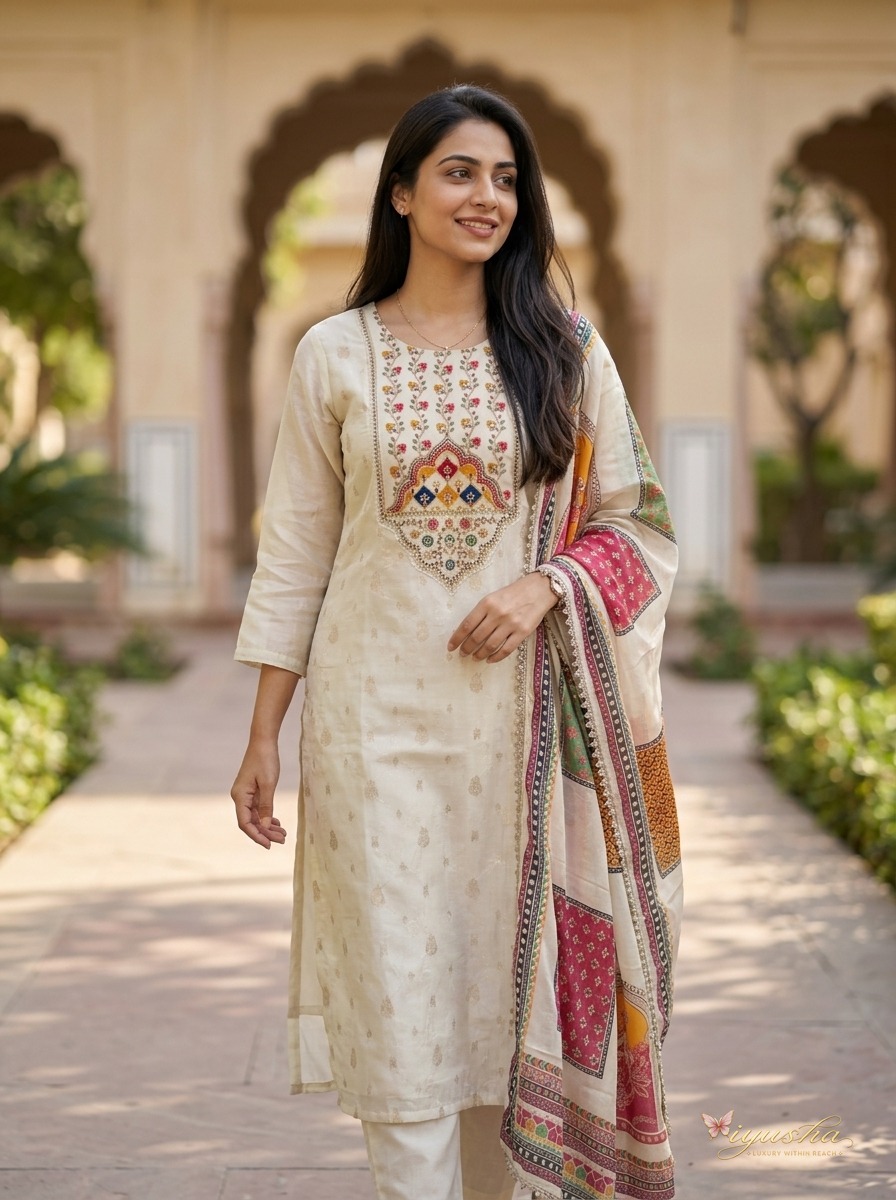
Where it's actually worn
Natural daylight, a relaxed pose, the background softly out of focus.
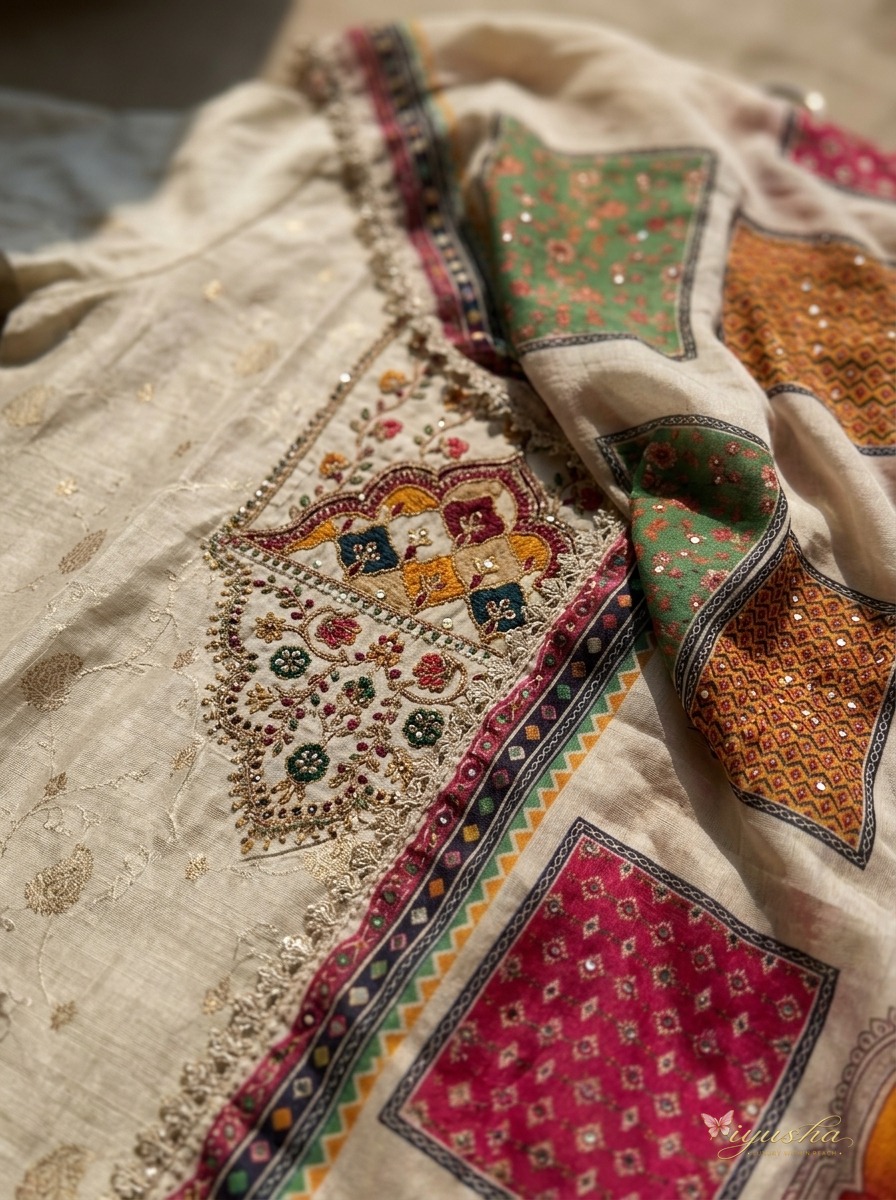
The quality question
A macro of the weave, the zari, the sequins and the border — no face in frame.
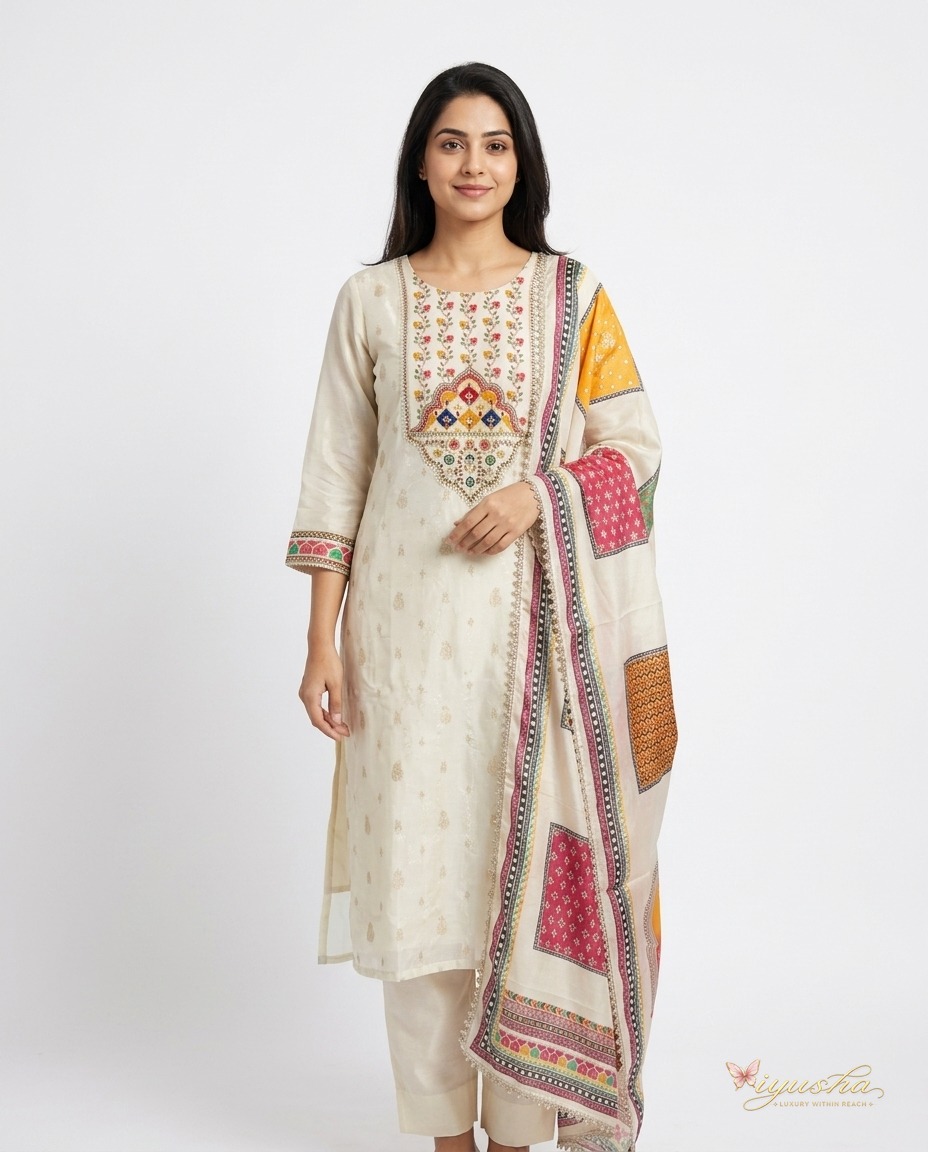
Sized and captioned
A 4:5 frame that arrives with a caption and 15–25 hashtags in the category's voice.
Nine by sixteen, moving
A short vertical clip generated from the best still. Download it, or publish it.
The design that arrives is the design you sent
Left is the seller's own photograph. Right is what came back — same print, same embroidery, same trim.
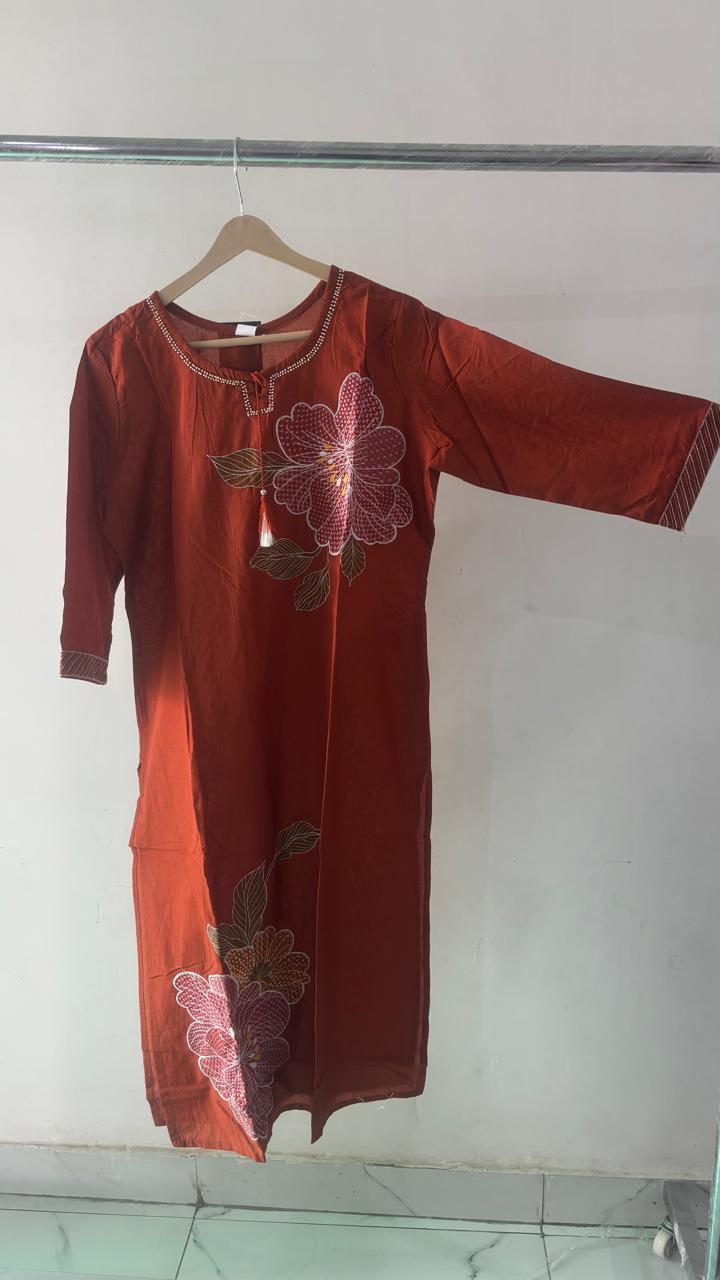 You uploaded
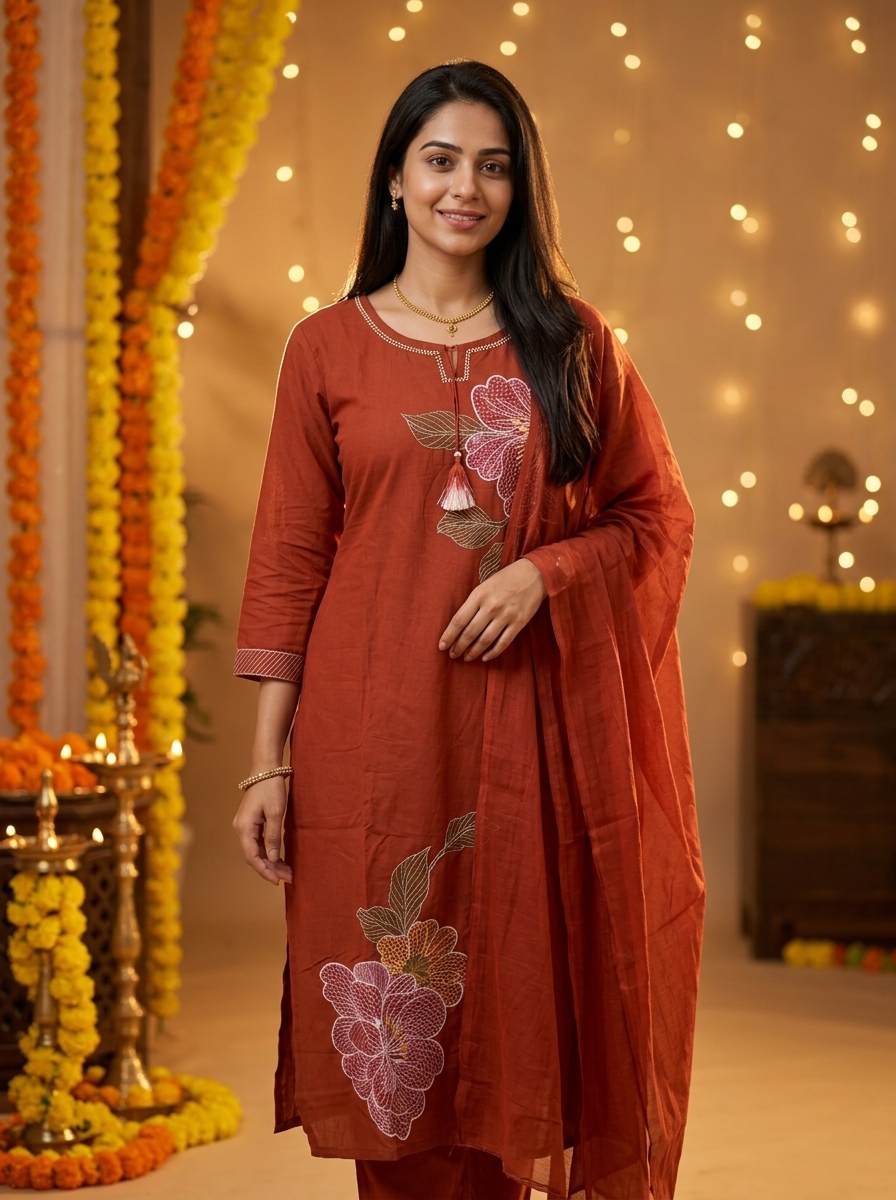 It returned
Rust kurta, painted florals
The embroidered bloom, the tassel at the placket and the striped cuff are the ones in the hanger photo — matched, not reinvented.
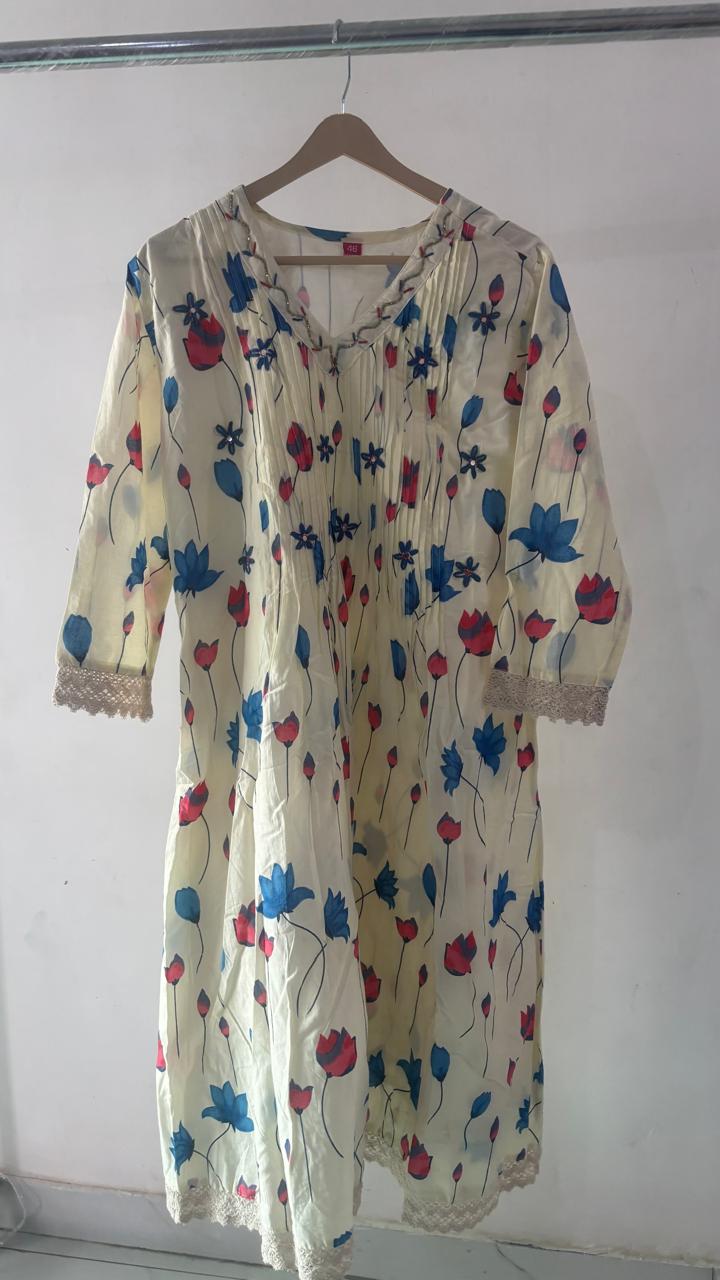 You uploaded
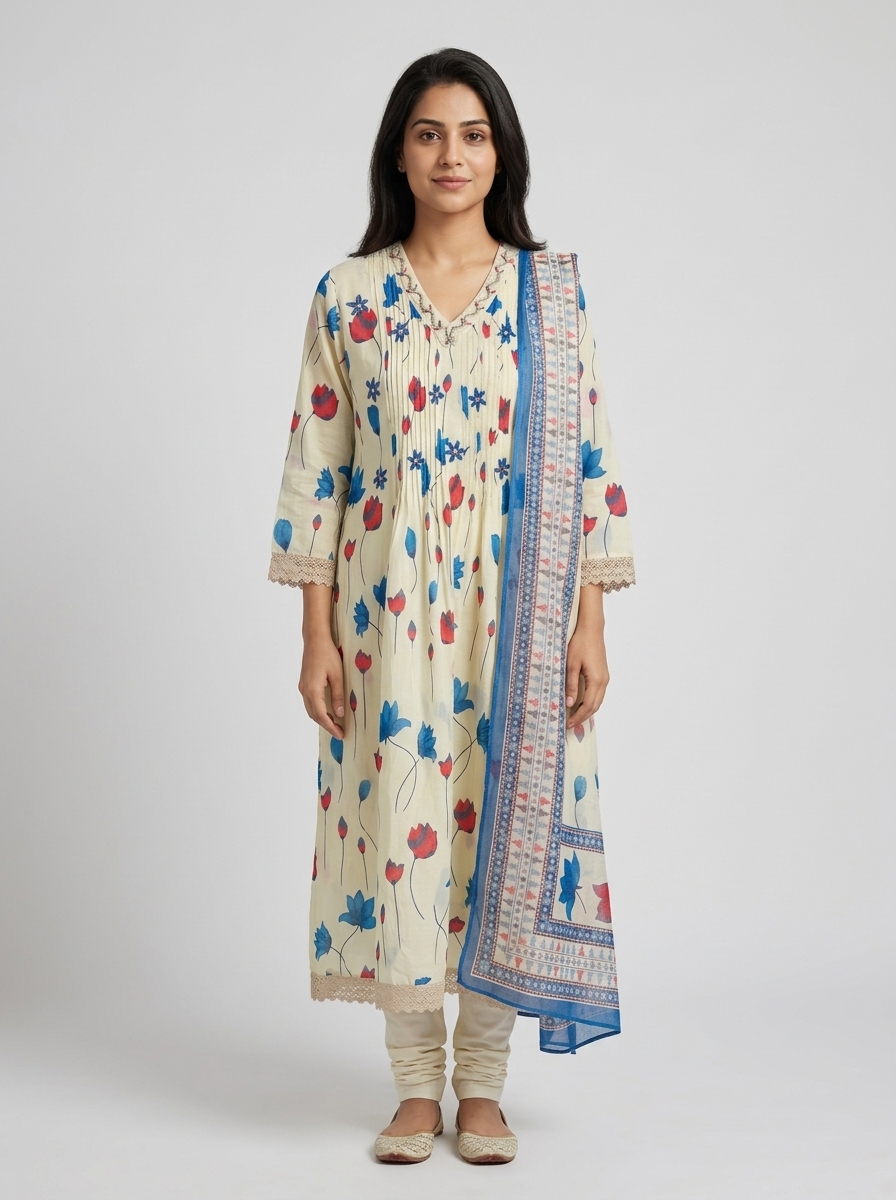 It returned
Floral print, lace cuffs
Pintucks at the yoke, lace trim on the sleeve and hem, and every tulip in the print survive the trip to a studio backdrop.
Eleven verticals, eleven different briefs
The category is the spine of the pipeline, not a label next to the SKU. It picks the master prompt, the shot list, the angles you can tag and the voice of the caption.
- Women's clothing
- Men's clothing
- Kids & baby
- Jewellery
- Footwear & bags
- Beauty & personal care
- Home & living
- Furniture & decor
- Electronics & gadgets
- Food & beverage
- Everything else
Built around the part that usually breaks
Fidelity is the whole job
Your photographs condition every frame, and the description they're generated from is yours to read and fix first. Nothing is spent until you agree with what it saw.
Master prompts you own
Every category ships with a prompt you can open, rewrite and save. Shared prompts come with sample output, so you can see what one does before spending on it.
A face cream isn't a saree
Category changes the brief, not just the label: what the macro is on, whether packaging text must be copied exactly, whether anyone is in frame at all.
Your mark, pixel-exact
The logo is composited onto the finished file rather than described to the model — ask a model for lettering and it draws convincing gibberish. Position, size and opacity are yours.
Straight to Instagram
Connect an account and publish the post or the reel with its caption attached. Or take the ZIP — images, video and captions.txt — and do it your own way.
Credits, not a subscription
You're charged per delivered asset, after the provider returns it. A frame that fails costs nothing and can be retried on its own.
The ones sellers actually ask
- Will it invent a design that isn't mine?
- That is the exact failure this is built around. Generation is conditioned on the photos you upload, and the written description it works from is editable before you spend a credit. If one frame still drifts, regenerate that frame.
- Do I need a model or a studio?
- No. A hanger, a table or the shop floor is enough. Front is the only angle that's required — back, dupatta, bottom and detail simply give it more to work from.
- What happens when one image comes back wrong?
- Regenerate it by itself. Every frame is its own job with its own status, so one bad result never costs you the set — and a failed job isn't charged.
- Are children's clothes put on a child?
- No. Kidswear is shot flat or on a faceless, headless mannequin. No photorealistic child is generated, which is also how most kidswear listings are photographed anyway.
Start with the photos already on your phone
Sign in with a mobile number — a new number gets an account automatically, with credits to shoot a first product and see what comes back.
Sign in